Monitor says out of range
“Out of range” or “input not supported” means the PC is sending a resolution or refresh rate the monitor rejects — different from a pure no-signal cable fault, but often searched alongside it.
Steps
-
Regain a picture with low-resolution video
When a screen is usable: Settings → System → Recovery → Advanced startup → Restart now. When no screen is usable: hold the power button for about 10 seconds, power on, and force shutdown again at the Windows logo. Repeat until Recovery opens, usually on the third start.
Choose Troubleshoot → Advanced options → Startup Settings → Restart. Press 3 or F3 for Enable low-resolution video. Windows keeps the current driver and drops resolution and refresh rate so the monitor can show the desktop. Press 5 or F5 (Safe Mode with Networking) only if low-resolution video still will not display. Both options are on Windows startup settings.
-
Lower resolution and refresh rate
Settings → System → Display → choose a lower resolution. Open Advanced display and set a refresh rate the monitor supports (often 60 Hz).
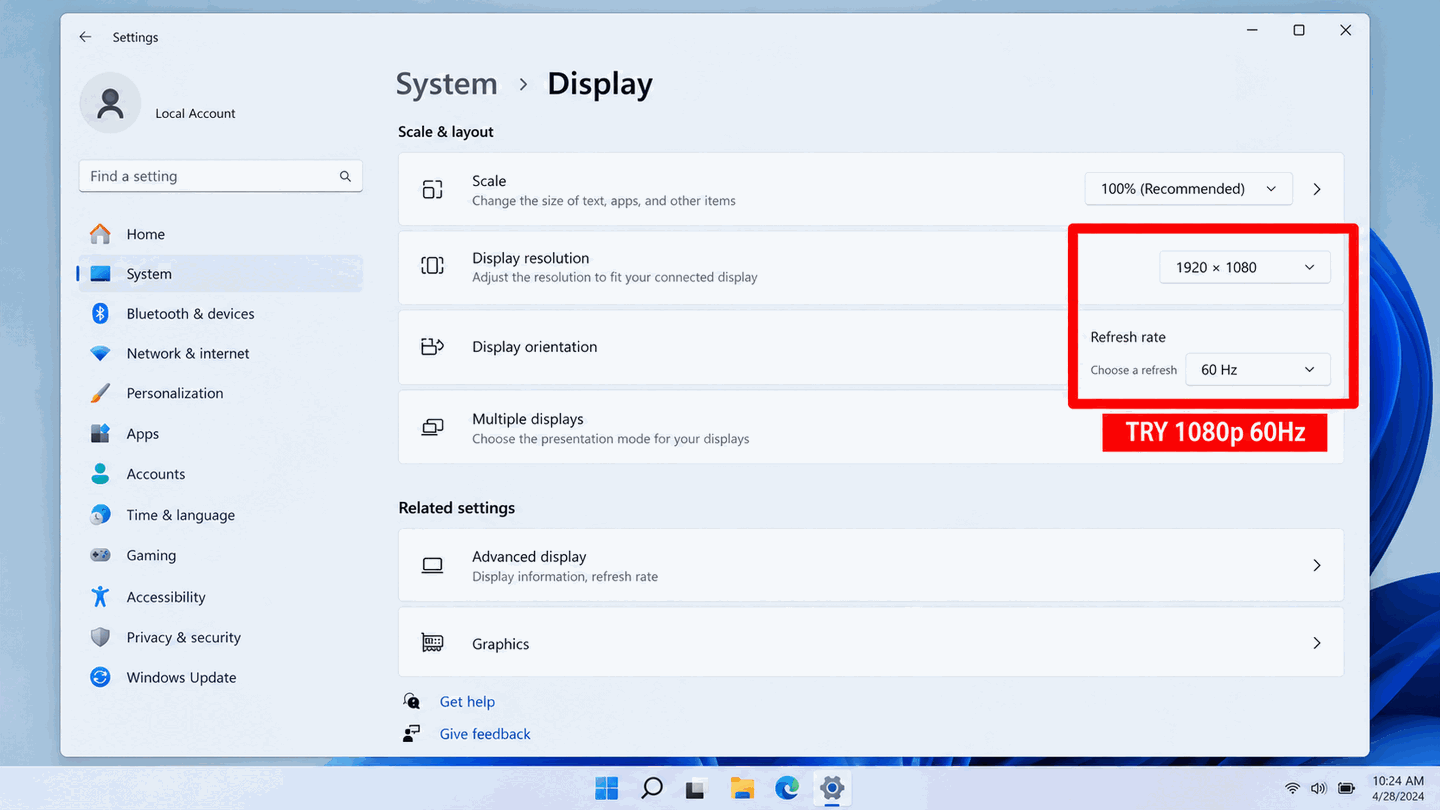
Set a lower resolution on this screen. In Windows, open Advanced display to set the refresh rate, often 60 Hz. -
Reboot normally and confirm
Restart to leave low-resolution video or Safe Mode. If out of range returns, roll back the recently installed GPU driver in Device Manager.

What to do next
FAQ
Is out of range the same as no signal?
No. Out of range means some signal is detected but timing is invalid. No signal means the monitor does not detect a usable link.
Official sources
Independent DIY troubleshooting. Prefer Microsoft and OEM support articles for model-specific steps. We do not sell one-click fix tools or host driver packs.