No display in BIOS (POST screen never appears)
If the monitor never shows a motherboard logo or BIOS menu on any cable, Windows settings cannot help yet — focus on the hardware video path.
Check this first: Wrong GPU vs motherboard port still applies before POST. Move the cable to the GPU bracket ports first.
Steps
-
Prove the monitor and cable
Test them on another device. See cable & port.
-
Correct output port
-
Minimal hardware boot
One RAM stick in the recommended slot, discrete GPU firmly seated with power cables attached (6/8-pin as required), and extra drives plus USB devices unplugged. Clear CMOS only by the method in the motherboard manual.
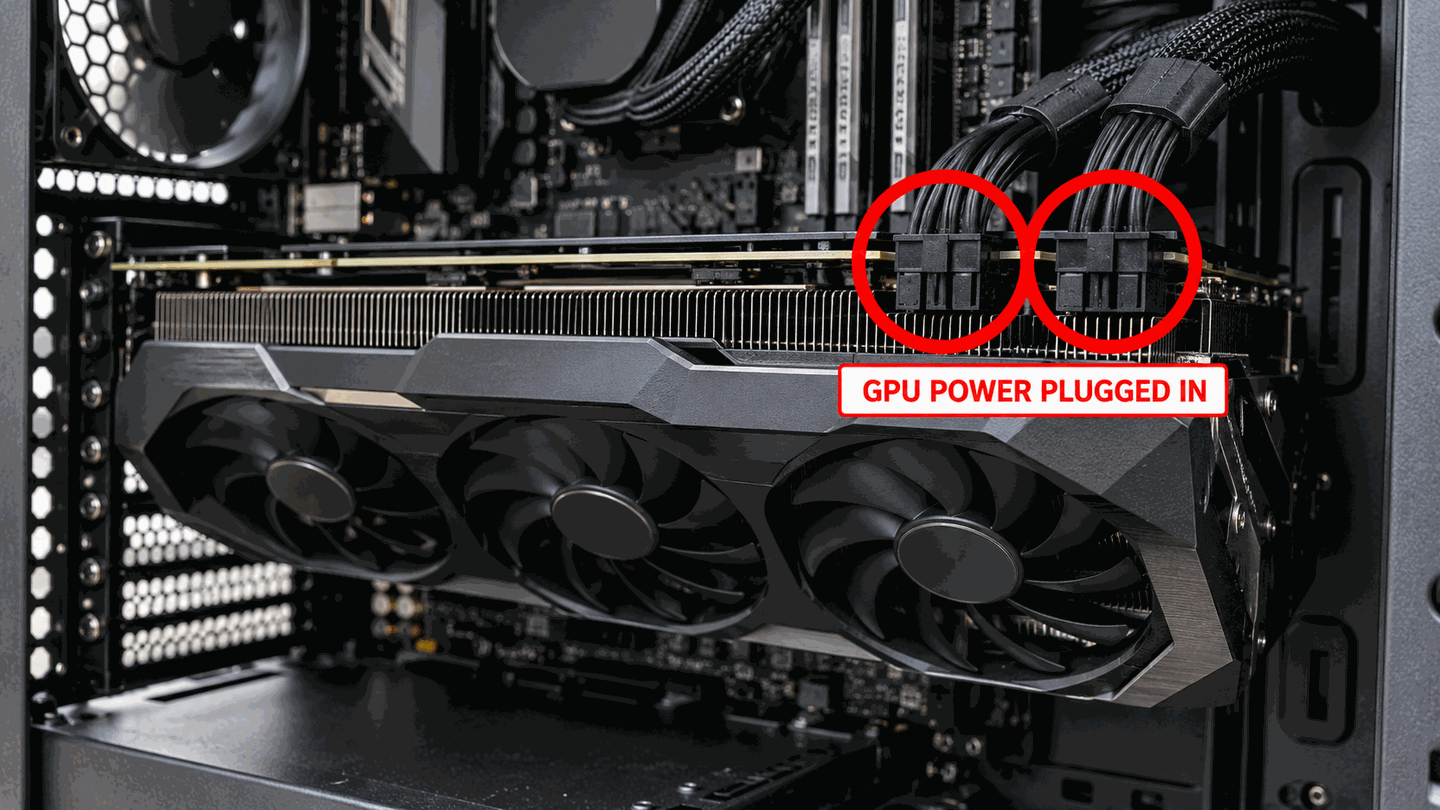
Ensure GPU power connectors are fully seated when POST never appears. -
Beep codes / motherboard debug LEDs
Use your motherboard manual. VGA/GPU debug LEDs point to video path faults; DRAM LEDs point to memory.

What to do next
BIOS appears after moving to GPU port Configuration issue — continue Windows setup with Win+P if needed.
Still no POST Hardware service paths (GPU/CPU/board); beyond OS troubleshooting.
FAQ
Can Safe Mode help if BIOS never shows?
No. Safe Mode requires the machine to boot Windows. Fix POST/video hardware first.
Official sources
- Troubleshooting blank screens in Windows — hardware connection checks that also apply before Windows loads.
- Troubleshoot external monitor connections in Windows
Independent DIY troubleshooting. Prefer Microsoft and OEM support articles for model-specific steps. We do not sell one-click fix tools or host driver packs.