Set the monitor input and Windows projection (Win+P)
A powered monitor on the wrong input, or Windows left on “PC screen only,” both present as HDMI no signal even when the cable is fine.
Steps
-
Select the correct monitor input
Use the monitor’s Input or Source button. Do not rely only on auto-detect while troubleshooting.
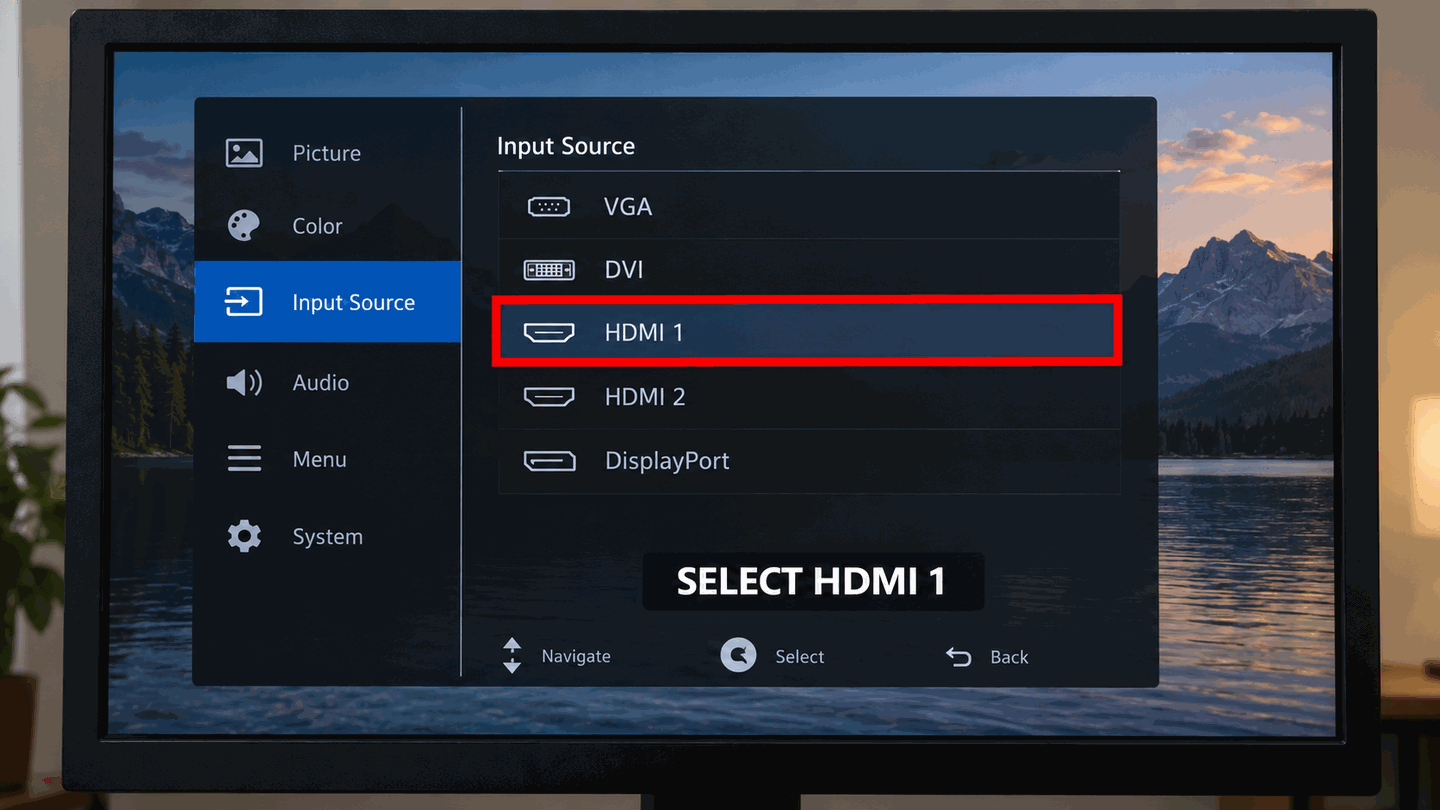
Pick the exact HDMI input tied to the cable you connected. -
Cycle Windows projection with Win+P
Press Windows + P to open the project menu. If you can see it, use the arrow keys and Enter to choose Duplicate, Extend, or Second screen only. If you cannot see the menu, press Windows + P, then press P once by itself, then press Enter. Repeat that sequence to try the next mode. Microsoft’s blank-screen article documents this cycle. The four modes are PC screen only, Duplicate, Extend, and Second screen only. PC screen only leaves an external monitor dark, so continue until you have tried the other three.
-
Detect displays in Settings (when you can see any screen)
Go to Settings → System → Display → Multiple displays → Detect. Details: Microsoft’s multi-monitor guide.
-
If the screen stays dark
Try Win+Ctrl+Shift+B, then cable/port checks.

What to do next
FAQ
What does Win+P do?
It opens Windows projection modes: PC screen only, Duplicate, Extend, Second screen only.
I can’t see the Win+P UI
Press Windows + P, then press P once by itself, then press Enter. Repeat that sequence to try the next mode. PC screen only leaves the external monitor dark. If none of the modes show an image, use a graphics driver reset.
Official sources
- How to use multiple monitors in Windows — Win+P mode table.
- Troubleshooting blank screens in Windows — Windows + P, then P, then Enter.
- Troubleshoot external monitor connections in Windows — start with Win+P Extend.
Independent DIY troubleshooting. Prefer Microsoft and OEM support articles for model-specific steps. We do not sell one-click fix tools or host driver packs.