PC turns on but no display
Fans spin, lights are on, but the monitor stays black or says no signal. This page is for a desktop tower. A laptop with both screens dark stays on the laptop HDMI page.
Steps
-
Confirm power signs
Case LED, fans, keyboard Caps Lock toggle. Microsoft blank-screen guidance starts here.
-
Minimal video path
One known-good cable into the GPU port, monitor input set correctly, no dock/adapter.
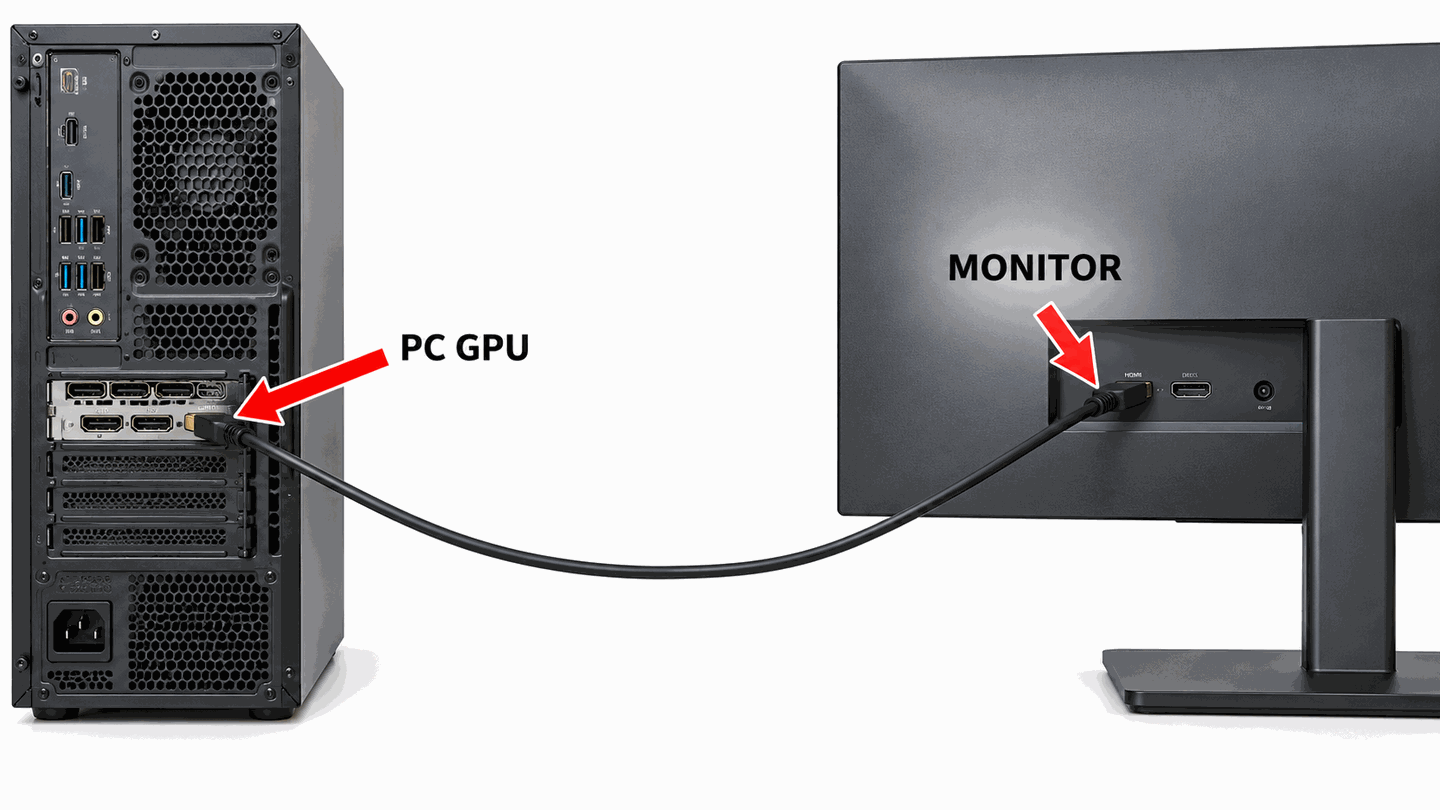
Simplify to one direct digital cable for the first test. -
Win+P and Win+Ctrl+Shift+B
Follow projection modes and driver reset.
-
Desktop only: reseat RAM when no firmware image appears
Skip this on a laptop. On a desktop, if BIOS never shows, power off, unplug the PSU, and reseat RAM (one stick in the slot the motherboard manual recommends). Do not reseat RAM if a mouse cursor is visible — Windows is already running.
-
Desktop only: test onboard graphics vs the GPU
Skip this on a laptop. On a desktop, if the CPU has graphics, remove the graphics card and test the motherboard HDMI. Otherwise test that card in another desktop, or try a known-good card.

What to do next
FAQ
PC turns on but no display — is the GPU dead?
Not necessarily. Wrong port, cable, and driver hangs are common. Prove POST on a minimal cable path first.
Should I buy a new monitor immediately?
Test the monitor on another device first via cable & port.
Official sources
Independent DIY troubleshooting. Prefer Microsoft and OEM support articles for model-specific steps. We do not sell one-click fix tools or host driver packs.