Plug into the GPU, not the motherboard HDMI
On most desktops with a discrete graphics card, the motherboard rear HDMI stays dark unless the integrated GPU is enabled and in use. Plugging into the wrong port is a top cause of HDMI no signal after a new build or GPU install.
Steps
-
Move the cable to a GPU HDMI or DisplayPort
Unplug from the motherboard HDMI. Plug into the graphics card. Power on and recheck the monitor input.
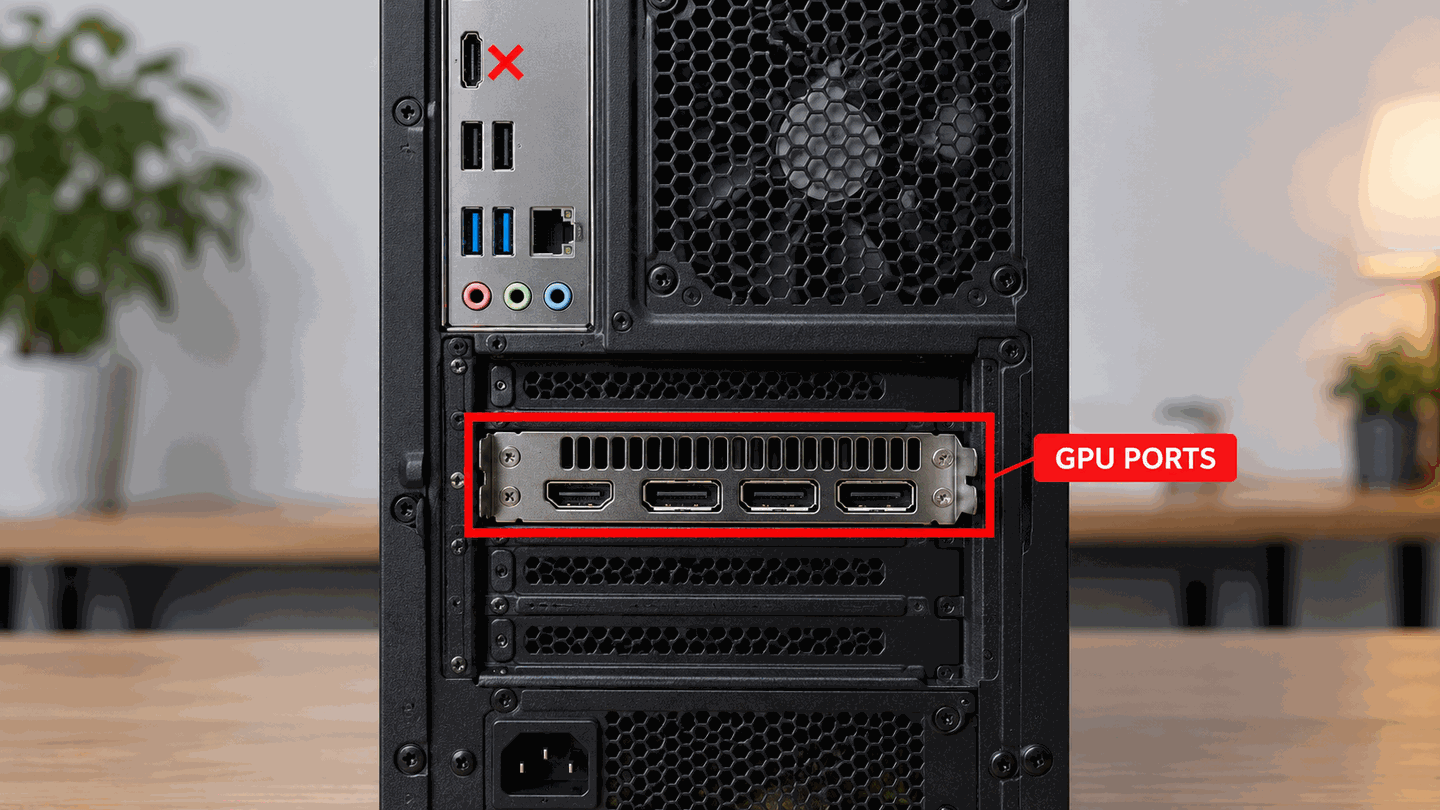
Use the GPU bracket ports when a discrete card is installed. -
If you must use motherboard video
You typically need the CPU to include graphics, the GPU removed or disabled per motherboard docs, and multi-monitor / iGPU settings configured in firmware. For a standard gaming GPU setup, prefer the card’s ports.
-
After moving the cable, set projection mode
Press Win+P and try Duplicate or Extend. Continue on input & Win+P if needed.
-
Still dark after using the GPU port?
Return to cable checks, then power on but no display / BIOS no signal.

What to do next
FAQ
Why did motherboard HDMI work before I installed a GPU?
With only integrated graphics, motherboard outputs are active. After installing a discrete GPU, many boards stop outputting on the I/O HDMI by default.
I only have DisplayPort on the GPU
Use DisplayPort or a proper DP/HDMI cable rated for your resolution. See DisplayPort no signal.
Official sources
- Troubleshoot external monitor connections in Windows — try another video output port (HDMI, DP, etc.).
Independent DIY troubleshooting. Prefer Microsoft and OEM support articles for model-specific steps. We do not sell one-click fix tools or host driver packs.